Elementary K–5

Your School.
Your Story.
Their Future.

SchooLinks K–5 is the only elementary CCR platform built around your school's identity — your colors, your mascot, your narrative. When students feel connected to their school community from day one, career readiness isn't a program. It's a culture.

Tap the dots to explore — actual product UI

schoolinks.com/home
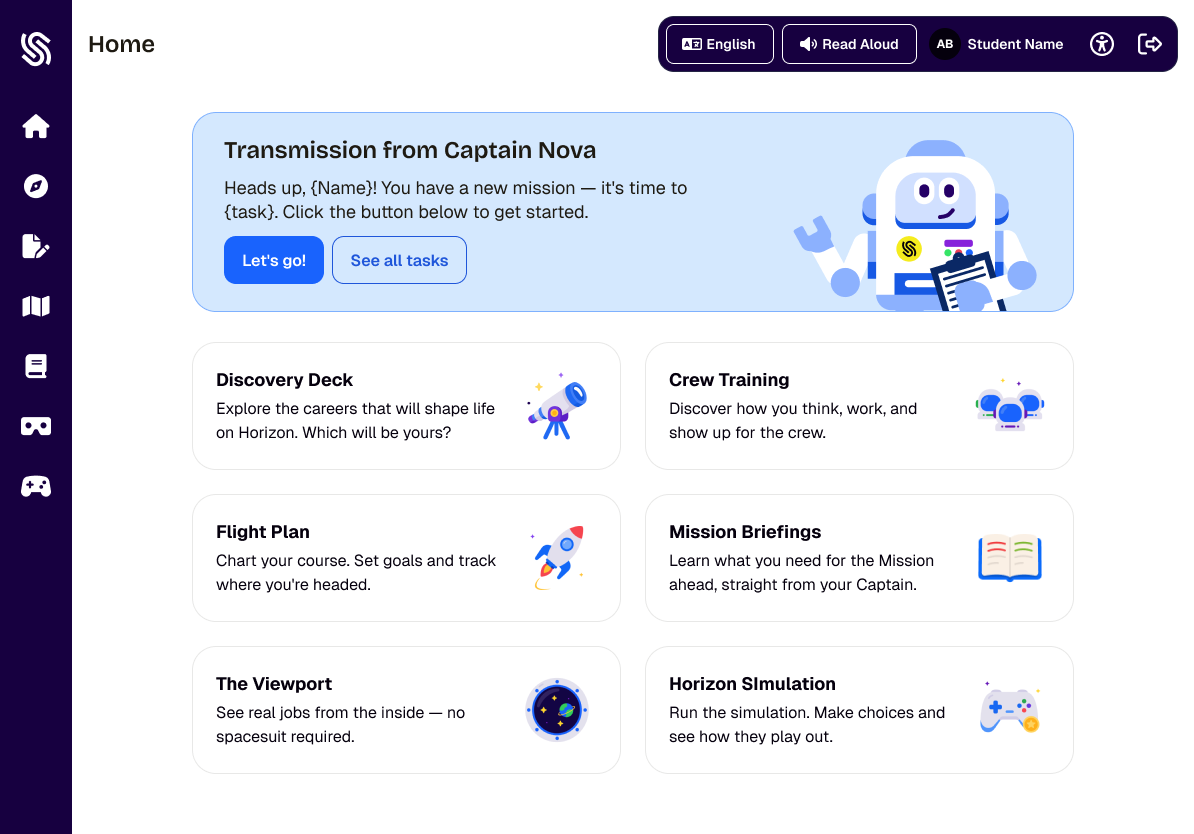
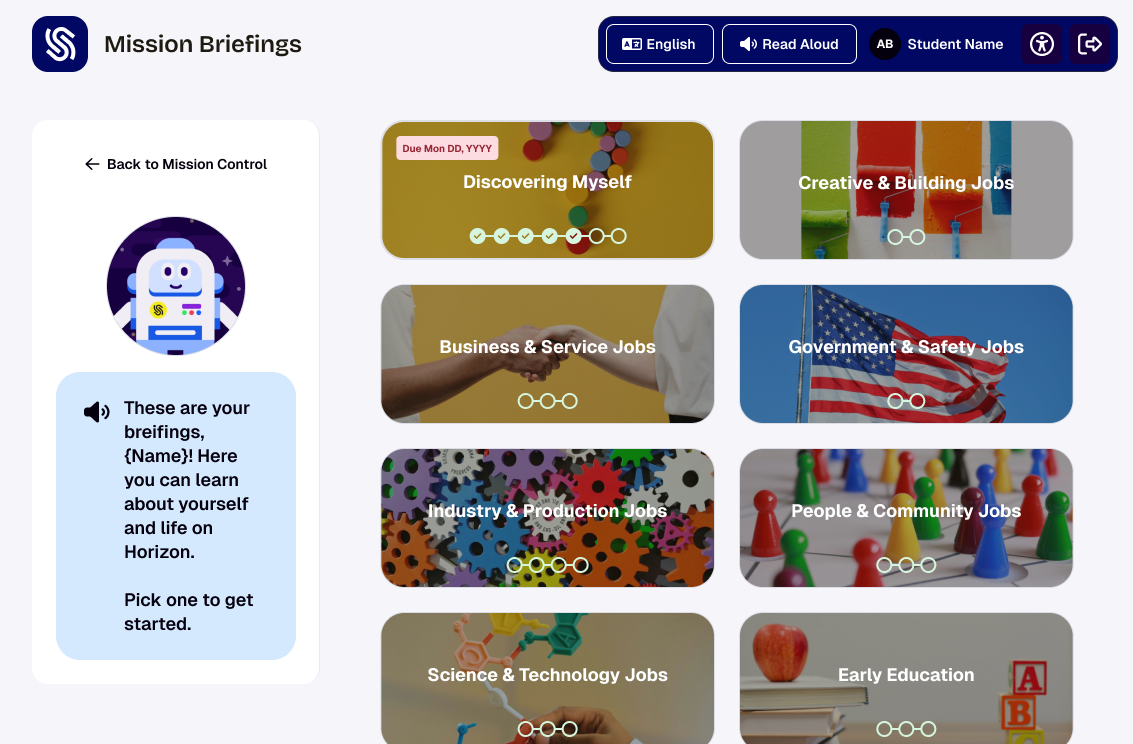
SchooLinks K–2 Mission Horizon dashboard — actual product UI
🔊 Read Aloud

Permanently visible in the nav bar — one tap reads any screen aloud. Reading support built in, not a setting.

🤖 Captain Nova

The guide character greets students on every login and speaks instructions contextually. Students always know what to do next.

🚀 Four Destinations

Discovery Deck · Crew Training · Flight Plan · Mission Briefings. Four large icon tiles — the only nav K–2 ever sees.

📍 Can't Get Lost

Hub-and-spoke only. Every destination returns home. No nested menus, no back-button confusion for young learners.

SchooLinks K–2 Mission Horizon dashboard

Why It Matters

Community Builds Careers.

The research is clear: students who feel a strong sense of school belonging are more engaged, more motivated, and more likely to explore who they want to become. SchooLinks K–5 gives every district the tools to make that connection tangible — a platform that looks, feels, and sounds like your school from the very first login.

When students graduate from elementary, their digital portfolio and data follow them into middle and high schools.

Built for Young Learners

Age-Appropriate career readiness experiences designed for young learners.

SchooLinks K–5 gives students the tools to start building self-awareness, explore career possibilities, and own their own story — from kindergarten through 5th grade. Every feature is age-differentiated, connected to the next grade band, and tied to the same record they'll carry all the way to graduation.

🗺️
Goals & Continuity
Flight Plan

Students build a living record of their goals, interests, and reflections starting in elementary school. Every entry carries forward automatically — no reset at 6th grade, no re-entry in high school. The plan grows as they do.

🎯
Age-Appropriate Goal Setting
SMART Goals

Guided by the platform character at every step. K–2 goals are teacher-supported; grades 3–5 are student-led. Students set goals, track progress, and connect their ambitions to real learning activities.

🔭
Career Clusters
Career Exploration

Students explore career families through age-appropriate lessons, guided activities, and interest-based matching. Career vocabulary and curiosity are built early — so students arrive at middle school with a foundation, not a blank slate.

💡
Self-Discovery
Career Interest Inventory

Students complete structured interest explorations that surface patterns in what they enjoy, how they think, and what energizes them. Results connect directly to career clusters and populate the personalized plan automatically.

🗂️
Record of Growth
Portfolio Building

Students collect work samples, reflections, and achievements as they progress through K–5. The portfolio builds alongside the Flight Plan — giving counselors, teachers, and families a richer picture of the whole student.

📋
Bridge to Middle School
Course Planner

5th graders begin exploring what their academic path could look like — courses, pathways, and options — so the transition to middle school feels like a continuation, not a cold start. Connects directly to the secondary platform's four-year plan.

🧭
Your Pathways
District Pathway Explorer

Students explore the career pathways your district has defined — CTE programs, endorsements, specialized tracks — years before they have to choose. Early familiarity leads to more intentional decisions later.

📄
Student-Owned
Personalized Plan

Not a worksheet. A living document populated by lessons, goal progress, interest inventories, and reflections. The connective tissue of the K–5 experience — and it follows the student into secondary.

🧠
Self-Awareness
Self-Knowledge, One Quiz at a Time

Students complete short, structured self-quizzes that build self-awareness across interests, strengths, and learning styles. Results populate the personalized plan automatically — so every quiz becomes part of the student's growing record. Five quizzes available now, with more added each semester.

📚
Learning Library
A Library Built for Curiosity

The Learning Hub gives students access to age-appropriate videos, readings, and interactive content organized by career cluster and grade band. Students can explore on their own or follow counselor-assigned paths — learning that meets them where they are.

🎮
Life Skills
Real Decisions. Real Consequences. In a Game.

The Game of Life simulation walks students through financial planning scenarios tied to career choices — making the connection between education, career, and adult life tangible and engaging. Designed for grades 3–5, fully guided for younger learners.

💚
Student Wellness
How Are You Feeling Today?

Students complete brief, regular wellness check-ins that help counselors understand the whole child — not just academic progress. Check-in responses are private, age-appropriate, and immediately visible in the counselor dashboard for early intervention.

🥽
Virtual Exploration
Step Inside a Career

Virtual reality career tours let students experience workplaces, job sites, and professions from their classroom. Tours are organized by career cluster and connect directly to the career exploration and interest inventory experiences.

First Day on the Platform

Guided Exploration to build confidence.

Accessible. Built with young learners in mind. The onboarding experience introduces the guide character and narrative world before students do anything — so the platform feels like the start of a story, not a task.

schoolinks.com/onboarding
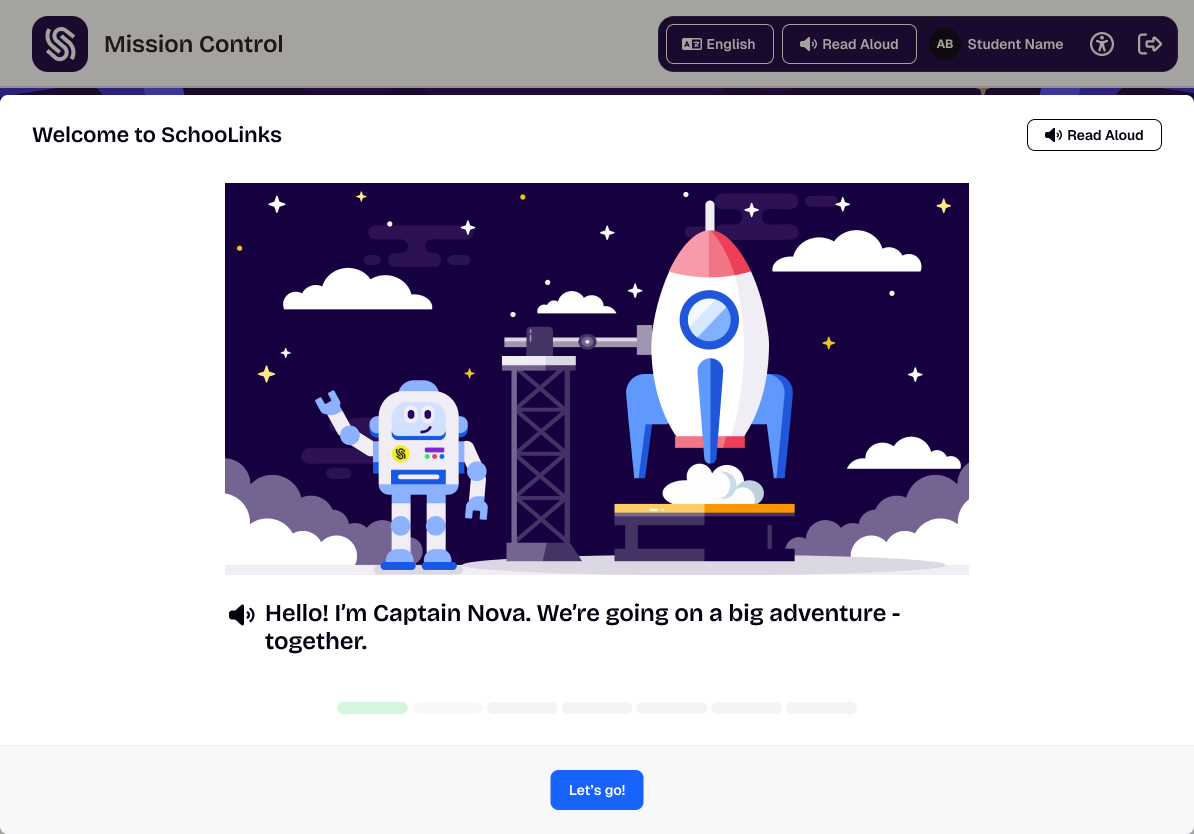
Onboarding — Screen 1 of 8
🔊 Read Aloud

Every onboarding screen can be read aloud automatically — no reading required for K–2.

🤖 Meet the Guide

Captain Nova is introduced before any tasks begin — narrative-first, not assessment-first.

🚀 Paced Progress

8-step progress dots let students see the journey ahead. Each step builds the narrative before any data entry.

Hello! I'm Captain Nova. We're going on a big adventure — together.

1 of 8 screens
Onboarding — Screen 2 of 8
🌍 Narrative-First

Students learn about planet Horizon and their role before encountering a single question or task.

We're headed to a brand new planet called Horizon. It needs all kinds of people — builders, helpers, artists, scientists. Your job? Figure out who YOU want to be when we get there.

2 of 8 screens
✦ ✦ ✦
Grade 3 Upgrade

You've been promoted.

You've explored, learned, and grown. Now you're ready for more freedom on the ship.

Captain Nova says "You've earned your wings, explorer. From now on, you get to choose where you go next. The mission is still yours — but the map just got bigger."

Students who onboarded in K–2 get this screen when they first log in at grade 3 — before accessing the upgraded 3–5 experience.

3 of 8 screens
🔊
Read Aloud for K–2

Every onboarding screen reads itself aloud automatically. Students don't need to read a single word to get started.

🚀
K–2 → 3–5 Transition Screen

Students who onboard in K–2 get a special upgrade experience at grade 3 — Captain Nova explains they've been promoted and given more freedom on the ship.

🎨
Narrative Before Tasks

Onboarding isn't an activity or assessment — it sets the world. The guide character, the mission, and the student's role are all introduced before any career content begins.

Built for Counselors & Teachers

Built for the People
Who Know Every Student.

Counselors and teachers don't need another platform to learn. SchooLinks K–5 runs inside the same system your staff already uses for middle and high school — with purpose-built tools for monitoring, managing, and understanding every elementary student in their caseload.

Caseload

Every Student. One System.

Every K–5 student lives in the same caseload dashboard your staff already uses for 6–12. No new system, no separate login, no parallel workflow. Counselors can filter by grade, flag students who need attention, and pull up individual history — all without leaving the platform they know.

Full K–5 caseload alongside secondary students, with the same admin tools, notes, and reporting your team relies on every day.

Monitoring

See Who's Engaged. Know Who Needs Support.

Staff can track lesson completion, goal progress, and platform activity across their K–5 caseload in real time. When a student stalls on a goal, falls behind on lessons, or hasn't logged in, it surfaces automatically.

One click takes a counselor from the monitoring view straight to that student's record.

Analytics

Grade-Level Data, Ready to Use.

Understand how your students are engaging with career content — which clusters are resonating, which lessons are completing, and where curiosity is building across grade bands. Exportable reports ready for admin and board use.

Counselors, administrators, and CTE directors all get the view they need.

Lesson Plans

Structured Lessons, Ready to Deliver

Staff get a full library of grade-banded lesson plans aligned to K–5 career readiness standards. Assign to individual students, a class, or your entire caseload — each lesson tracks automatically on completion. No prep required to get started.

Wellness

Wellness Trends Across Your Caseload

Student wellness check-in responses roll up into a counselor dashboard showing trends over time, flagged students, and grade-level patterns. Spot issues before they escalate — with data that surfaces automatically, not on request.

Curriculum

A Curriculum Map for Career Readiness

The scope and sequence view shows counselors and administrators exactly which lessons, activities, and milestones are planned for each grade band — and how far each student has progressed. Align your whole K–5 program to a single coordinated sequence without building one from scratch.

Family Engagement

Family Engagement, Built In

Send forms to guardians directly from the platform — permission slips, goal-setting acknowledgments, and progress updates. Responses are logged automatically in the student record. No separate tool, no manual tracking.

Completion

See What's Done. See What's Not.

A real-time view of every assigned activity, lesson, and goal across your K–5 caseload — filtered by grade, class, or individual student. The completion dashboard replaces the manual check-in and gives staff a single source of truth for program accountability.

District Reporting

District-Level Reporting for K–5

Exportable reports give administrators a clear picture of K–5 program impact — lesson completion rates, career cluster engagement, wellness trends, and goal progress. Ready for board presentations, grant reporting, and program reviews.

Distinct from counselor-level insights — this is the admin and district reporting layer, built for program accountability at scale.

"The counselor experience doesn't change when you add K–5. It just gets more complete."

Your Identity

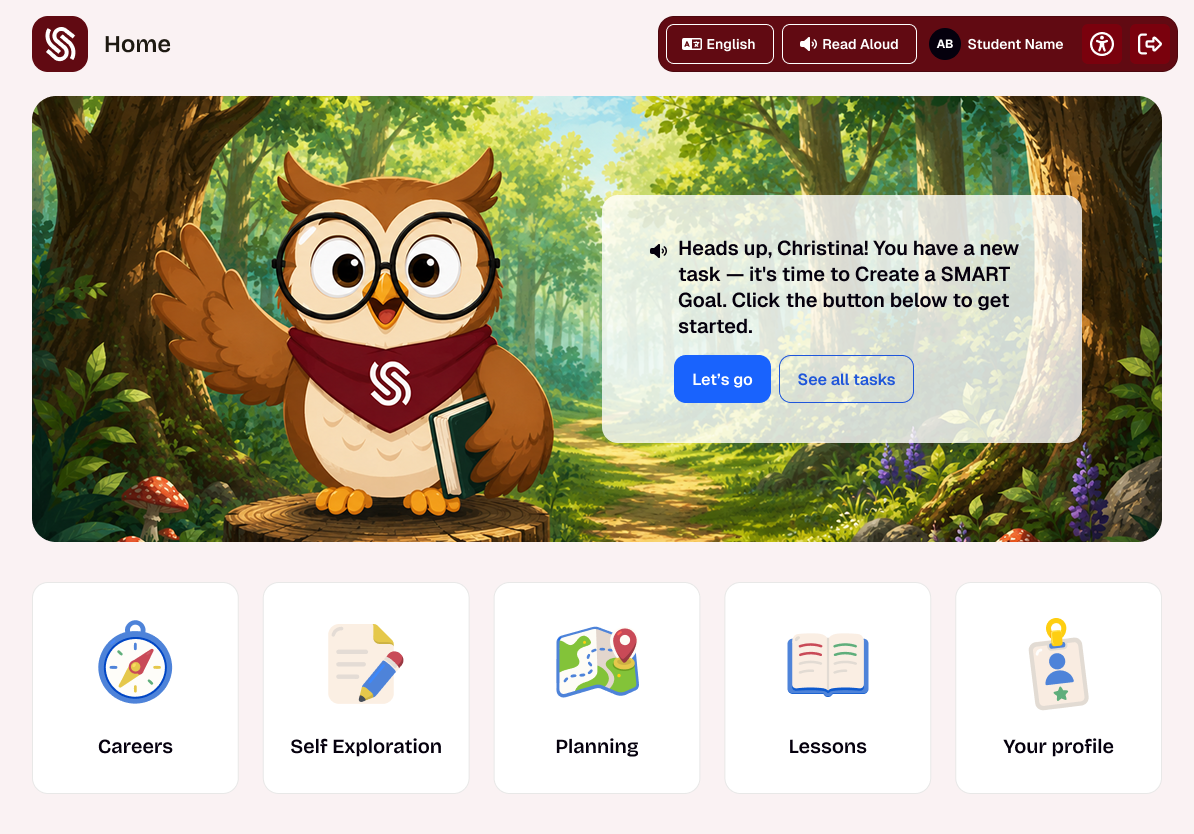
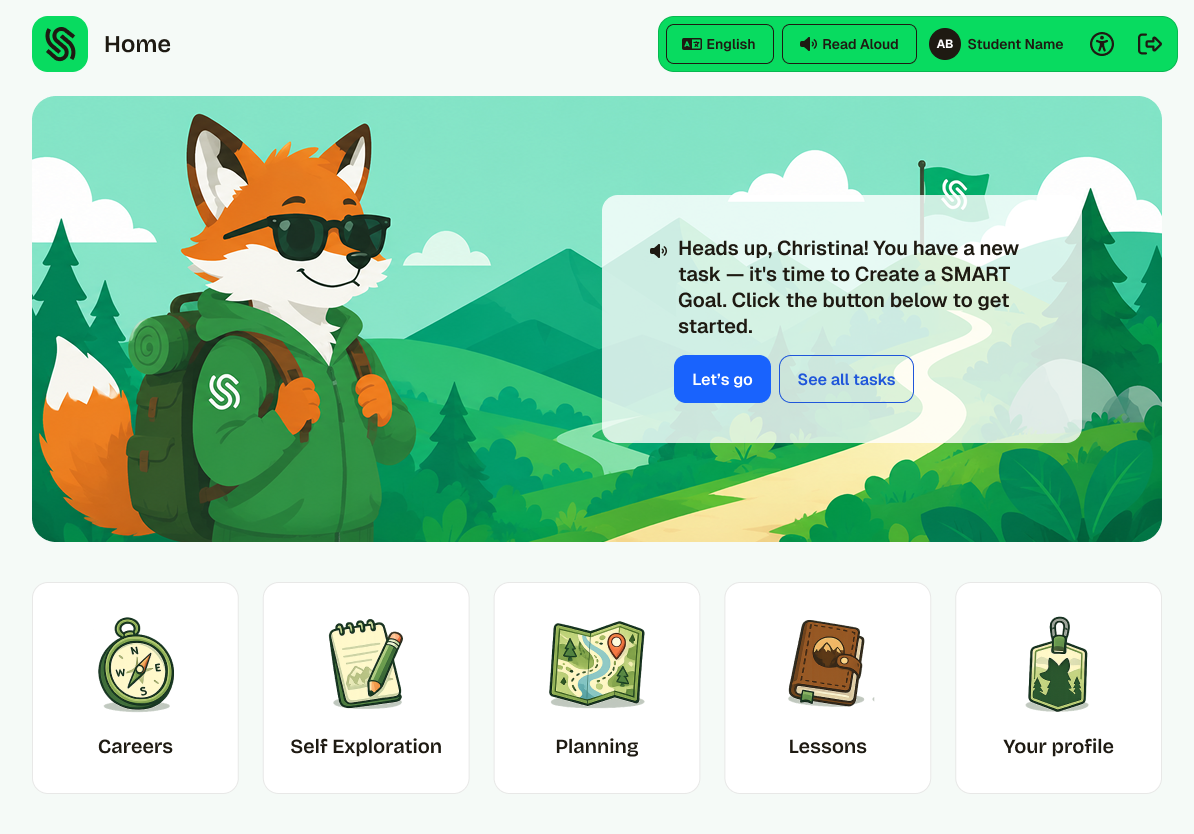
Your Colors. Your Mascot.
Your K–5 Experience.

SchooLinks K–5 gives districts full visual and narrative control — not just a logo upload. Choose your school colors, feature your mascot, and select a story world that reflects your community. Every student who logs in sees your school, not a generic platform.

🎨
Visual Branding

School colors, mascot, and logo woven into the platform UI — not added as a banner, built into the experience.

📖
Custom Narrative Themes

Choose from built-in story worlds or commission a custom narrative. The guide character, the mission setting, the language — all of it can reflect your school's identity.

🏫
District-Level Control

Administrators set the brand once. Every school in the district inherits it automatically — or customizes their own.

🤝
Community Affinity, Built In

When students see their school's identity every time they open SchooLinks, the platform becomes part of how they relate to their school — not just another tool they have to use.

Real district themes — built in SchooLinks K–5

Inside K–5: Two Design Stages
🚀

The Grade 3 Moment — A Narrative Beat That Feels Like Growth

When a K–2 student reaches 3rd grade, the platform recognizes it. The guide tells them they've been promoted — they've earned more freedom. It's not just a UI change. It's a moment designed to feel meaningful, because it is. Career readiness doesn't just get harder in 3rd grade. It gets more theirs.

What K–2 students experience

🎙️
Reading Support Built In

Read Aloud is always on — not a setting. Every screen is fully accessible whether students can read or not.

🧭
Hub-and-Spoke Navigation

Four large content tiles. No sidebar, no menus. Every path is obvious and every destination returns home.

🤖
Guide Leads Every Step

The guide character speaks all instructions. Students follow the narrative, not a task list.

🏫
Your School, Every Login

School colors, mascot, and identity are visible from the moment students sign in. The platform feels like theirs.

🎯
Career Exploration, Guided

Fully scaffolded — students explore career clusters with the guide, building curiosity and vocabulary early.

🔒
Fewer Options, By Design

Limited navigation keeps young learners focused. More freedom is earned — and celebrated — at Grade 3.

K–2 Dashboard — Mission Horizon theme

Mission Horizon

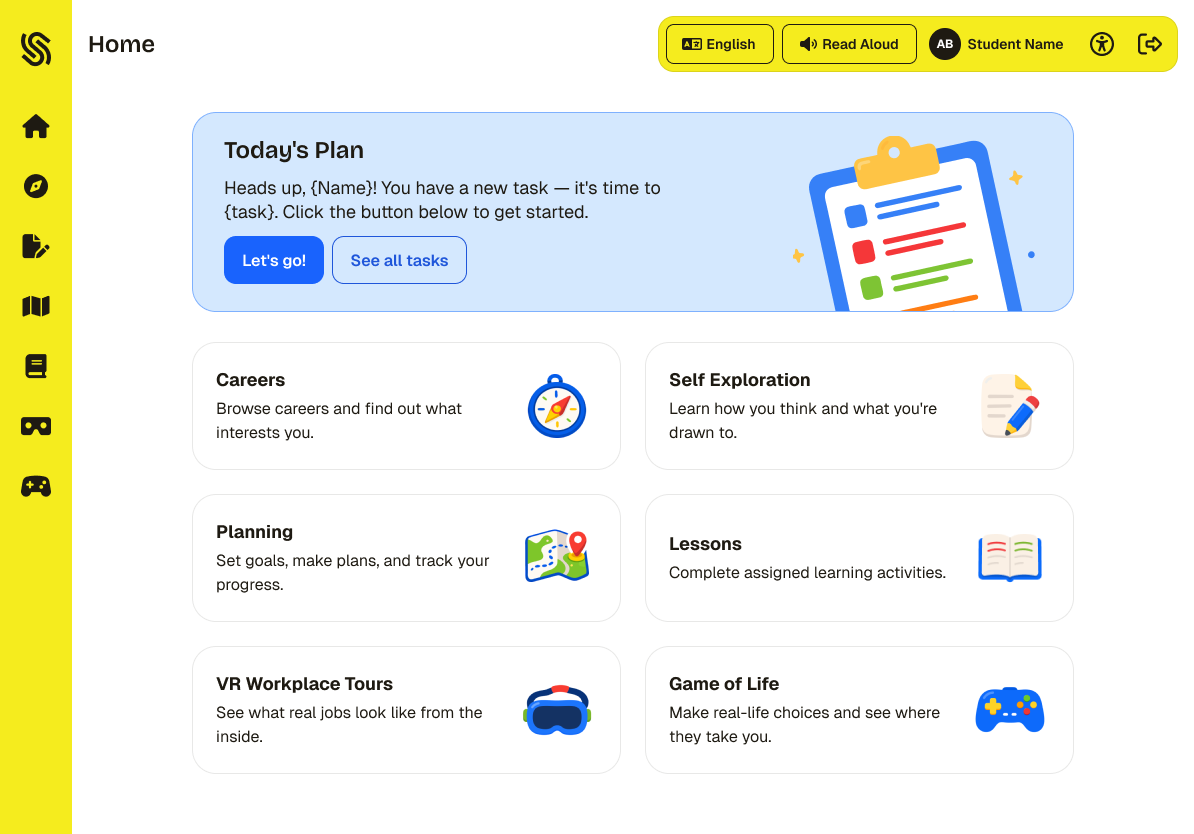
K–2 Dashboard — Classic theme

Classic

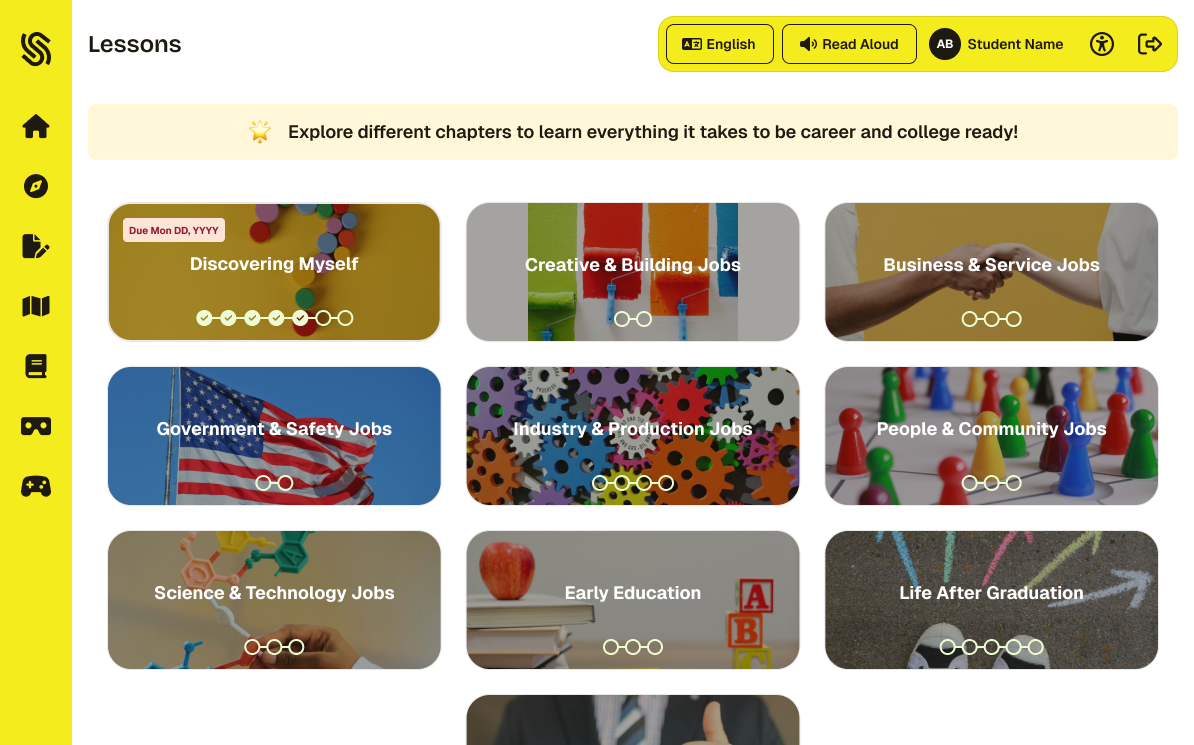
What 3–5 students experience

📱
Side Navigation Introduced

Icon sidebar mirrors the secondary platform. Students start building the habits they'll use in middle school.

🔊
Read Aloud, On Demand

Always available when needed — not automatic. Students are supported at every reading level.

🧑‍✈️
Guide Coaches, Doesn't Lead

The guide steps back into a coaching role. Prompts and context rather than step-by-step instruction.

🗺️
Self-Directed Exploration

Six content areas, student-driven. Curiosity is the engine — the platform supports wherever they go.

📋
SMART Goals & Personalized Plan

Goal-setting and the Personalized Plan unlock. Students start building the record they'll carry into high school.

🌉
Bridge to Middle School

Navigation patterns match the 6–8 platform. The transition to secondary feels like a continuation, not a restart.

Grades 3–5 Dashboard — Mission Horizon theme

Mission Horizon

Grades 3–5 Dashboard — Classic theme

Classic

0
Lessons K through 5th Grade
Mapped to CASEL and 16 career clusters
0
Grade Levels, Two Design Stages
K–2 guided · 3–5 independent
K–12
Platform Lifecycle
One platform, one brand, from first day to graduation

"The student who started their Flight Plan in 3rd grade walks into high school with that data and context already built. That's the K–12 journey — and it starts here."

Mission Briefings — K–5 Lesson Library

75 Lessons. Delivered Inside Your School's Platform.

Every lesson is mapped to CASEL competencies, aligned to state standards, and designed to grow with the student — from guided exploration in K–2 to student-led goal setting in grades 3–5. When the platform looks like your school, the curriculum feels like it belongs.

75 lessons across 7 career cluster areas and all 5 CASEL competencies — delivered inside a platform that carries your school's colors, mascot, and story. Students aren't logging into a third-party tool. They're working inside your school's platform. The curriculum is intentional. The identity is yours.

Science & Tech Creative Business Government Industry People & Community Early Education
75
Total K–5 Lessons
27 K–1
Kindergarten & 1st Grade
26 2–3
2nd & 3rd Grade
22 4–5
4th & 5th Grade
Lessons — K–2 Mission Horizon

K–2 · Mission Horizon — actual product UI

Lessons — Grades 3–5 Classic

Grades 3–5 · Classic — actual product UI

Grade
Topic
Showing all 75 lessons
No lessons match the selected filters.

Ready to Make It Yours?

See how SchooLinks K–5 looks with your school's colors, your mascot, and your community's story live, in a 30-minute walkthrough with your SchooLinks rep.

Available now for new and existing SchooLinks districts. K–12 in a single platform.

FAQ

Frequently Asked Questions

Students who feel connected to their school community are more engaged and more likely to invest in their own growth. When the platform reflects their school — their colors, their mascot, their story — career readiness becomes part of their school identity, not a separate program they have to opt into.
It means school colors, logo, and mascot woven into the platform UI — not a banner overlay. It also means narrative customization: districts can select from multiple story worlds or commission a custom narrative that names the guide character, sets the scene, and frames every activity in language that feels local and familiar.
K–2 students get a guide character, hub-and-spoke navigation with large tiles, and a simplified interface designed for young learners. Grades 3–5 introduces side navigation, more independent exploration, and student-led goal setting — building the habits students need for middle school. There's a dedicated narrative moment when a student transitions from 2nd to 3rd grade that marks the shift as an achievement.
The K–2 experience is designed with young learners in mind — hub-and-spoke navigation with large tiles and a guide character that leads students through activities step by step. Read Aloud is always available to support learners at every level.
SchooLinks is a single K–12 platform. Goals, personalized plans, interests, and reflections carry forward automatically at grade transition — no exports, no starting over. When students enter middle school they go through the standard MS onboarding (Four Year Plans and goal-setting activity), building on the record they already started in K–5.
No. The admin and counselor layer is the same as the secondary platform. Counselors managing both elementary and secondary students work in one system, with the same tools and reporting they already know.
Yes. Accessibility — large touch targets, keyboard navigation, Read Aloud, and age-appropriate interface design — is built into the K–2 experience from the ground up, not added after launch.